Hermit
An iOS SSH client purpose-built for Claude Code
When I’m working from my phone, most of what I send Claude Code is one keystroke. Approve. Reject. Confirm. Cancel. The rest is a few sentences of instruction, and I dictate those.
A general-purpose terminal app makes all of that harder than it needs to be. I’d been doing this with Blink Shell for months: SSH into the Mac, attach to tmux, work with Claude Code. Every connection still ended with typing tmux attach myself.
Hermit is the stripped-down version. Tap a session, land inside its tmux session, and drive Claude Code with five soft keys and your voice.
It started as a joke about a keyboard with only three keys. The build post has that story. The short version: spec to working SSH client on a real device in a single Claude Code session, about eight hours.
What it looks like
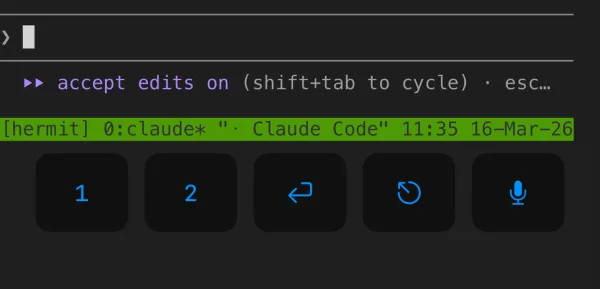
The terminal is xterm.js in a WKWebView, and it takes most of the screen. Under it is the ribbon:
- 1 and 2 send bare keystrokes. Claude Code reads its approval prompts in raw mode, so
"1\n"didn’t work and"1"did. - Return sends
\r, for accepting edits and submitting multi-line input. - Escape sends
\u{1B}to cancel or interrupt. - Mic opens a text sheet. Dictate with the iOS keyboard, proofread, tap Send, and the text goes to the session with a carriage return.
A toolbar button cycles to two other ribbons. Plan Mode is just 1 through 5, for Claude’s numbered choices. The copy ribbon has Copy Recent, which grabs the last 30 lines, and Copy All. Copy Recent skips prompt lines, status bar dividers, and timer lines, so what lands on the clipboard is the output and not the terminal chrome.
A snippets sheet holds common tmux commands. Complete ones like list-sessions and detach run immediately. Partial ones like attach and kill-session paste without submitting, so you can type the name.
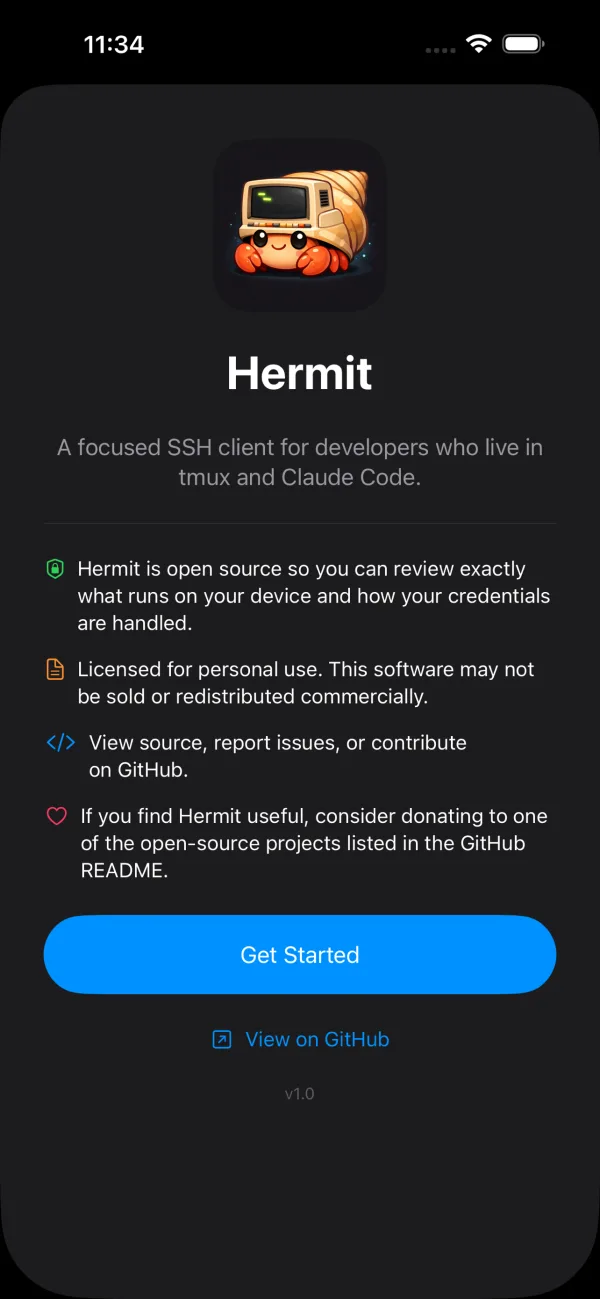
That’s close to the whole app: a session list, the terminal, the voice sheet, and settings. No tabs, no split views.
Decisions worth explaining
Five keys, not three. The default ribbon changed five times on March 15, the second day. It went 1/2/3/esc/mic, then 3 became Enter, then 3 came back, then all six squeezed in. It settled on 1, 2, return, esc, mic. From the commit message:
Six was too crowded. Replace button 3 with return since accepting edits is more common than option 3.
Your config is one JSON file. Hosts and sessions live in hermit-data.json in Hermit’s iCloud Drive container, synced across devices. Since it’s plain JSON, I can edit it from a Mac, and so can a Claude Code session. Hermit picks up the change.
Keys never sync. Private keys go in the iOS Keychain and stay on the device. You add them per phone.
tmux is the session manager. Tapping a session runs tmux new-session -As <name>, which attaches or creates it. A host can also have a raw shell, which sorts to the top of its group.
The terminal size comes from the phone. xterm.js’s fit addon reports the real dimensions to Swift, and the PTY gets resized to match. Without it, you get an 80-column PTY on a narrower screen, text overflows, and Claude Code’s status line repeats instead of updating in place.
No analytics, no servers. No tracking and no accounts either. Sync goes through Apple. The privacy policy is a page long.
A bug worth telling
The simulator and my iCloud Drive live on the same Mac.
So when a simulator build wrote an empty data file on first launch, iCloud synced it, and it overwrote the hosts and sessions on my actual phone. The fix on April 5 was to give simulator builds local-only storage.
Three days later it happened again through a different door. On a cold launch, the iCloud file sometimes isn’t downloaded to the device yet. Hermit saw no file and wrote empty data, which then synced over the real data. Now it triggers the download instead, refuses to save empty state to iCloud at all, and only creates a seed file for local-only storage.
Same lesson both times: when sync is automatic, “nothing here yet” and “empty” are not the same state.
The build session had its own version of this. Testing in the simulator while Claude Code was attached to the same tmux session, Claude saw its own actions echoed back through the simulated terminal and tried to respond to them. Approval prompts got tested on the real phone after that.
Stack
- Swift and SwiftUI, iOS 17 and up, portrait only, dark mode enforced. About 1,700 lines of Swift.
- Citadel for SSH, built on SwiftNIO. Ed25519 private key auth.
- xterm.js bundled into the app, not loaded from a CDN. The CDN version worked in the simulator and rendered blank on a real device.
- iCloud Drive for config, coordinated with
NSFileCoordinatorand watched withNSMetadataQuery. Keychain for keys. - Fastlane for TestFlight and App Store submission. Signing credentials stay in a gitignored
.env, because the repo is public.
Releases
There are no git tags or GitHub releases. The history is in the version bumps.
| Version | Date | What landed |
|---|---|---|
| 1.0 | Mar 14–16 | Spec, working SSH client, App Store assets and privacy policy |
| 1.1 | Mar 20 | Snippets sheet |
| 1.2 | Mar 27 | Home screen name changed to “Hermit SSH” |
| 1.3 | Apr 24 | Ribbon presets, copy ribbon, iCloud clobbering fixes, all landed since 1.2 |
| 1.6 | Sep 16 | Version bump for the next TestFlight build |
The gap is honest bookkeeping. From the September commit:
App Store Connect already had 1.5 approved (this repo was stale at 1.3), so the next valid TestFlight train is 1.6.
1.5 is the version on the App Store now. It’s free.
What it isn’t
- Not a general-purpose terminal. No password auth, no SFTP, no Mosh, one session at a time. All of that was explicitly out of scope in the original spec.
- Not an iPad app. iPad layout was out of scope for v1 and hasn’t come back.
- Not required. Any SSH client works for this workflow. The Minimal Setup for Coding While Walking walks through it with tmux and ngrok. Hermit just removes the steps I was repeating.
What’s next
The spec kept a short list of v2 ideas: a word substitution dictionary applied to dictated text before you see it, Mosh support, and per-button control over the trailing newline. None of them are built.
I still use it instead of Blink Shell. It’s in my October 2026 tooling snapshot as the thing that connects to all my tmux sessions.
The code is public so you can read exactly what runs on your phone and what happens to your SSH keys. It’s licensed for personal use. If it’s useful to you, the README points to Citadel, xterm.js, and SwiftNIO as projects worth donating to.